
More Ways to Use Little Timer
By the Little Labs team ·
A countdown tells a child that something is about to end, while Little Timer gives them something to look forward to. Set the time, press Start, watch the red shrink, and see what hatches.
Sometimes, that’s all we need. But a few extras can go a long way: personal photos for the egg to hatch, gentle sounds to play or mute, reminders that speak up for transitions, and quick adjustments when the day goes off script. Here are some ways to put them to work.
Make the hatch your own
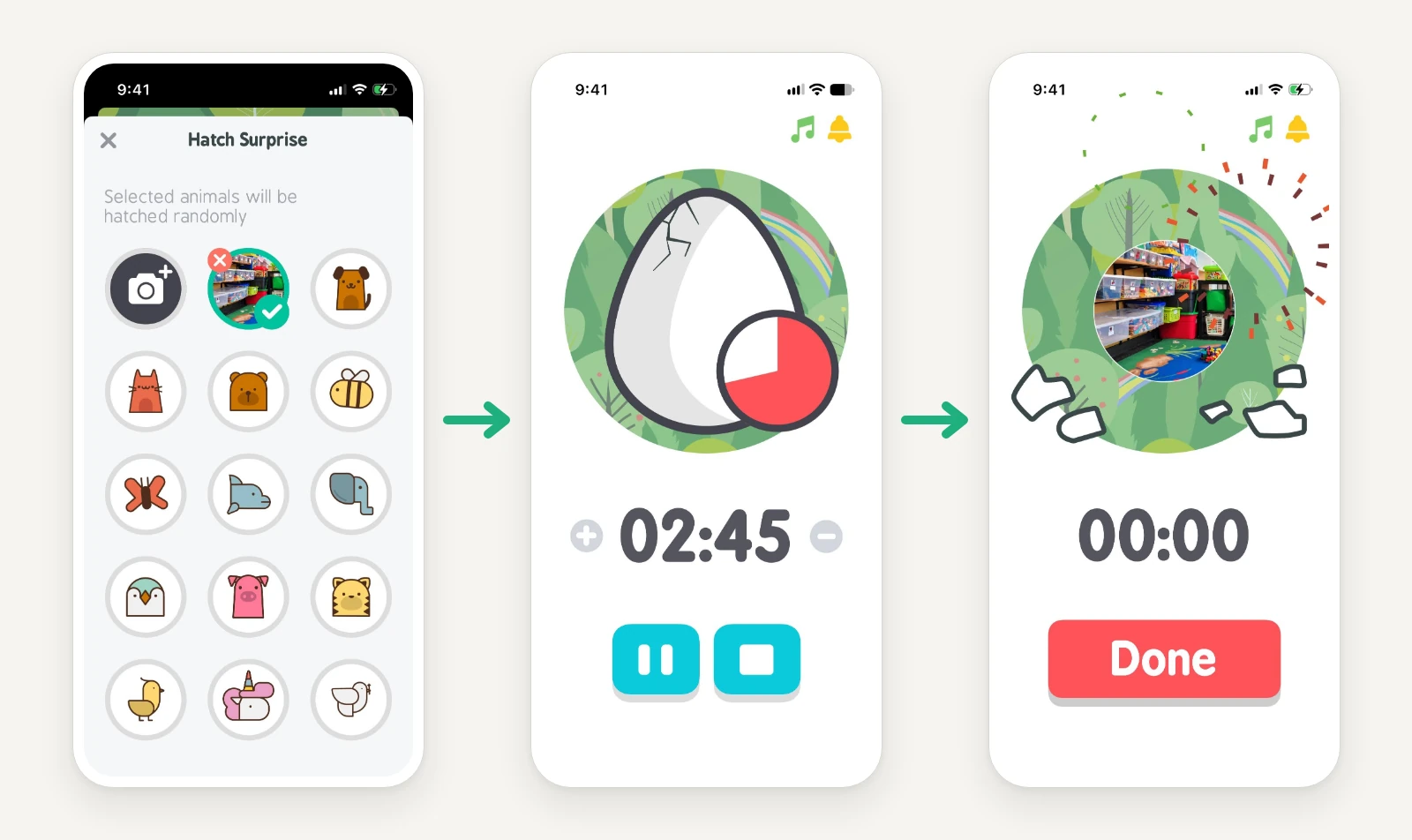
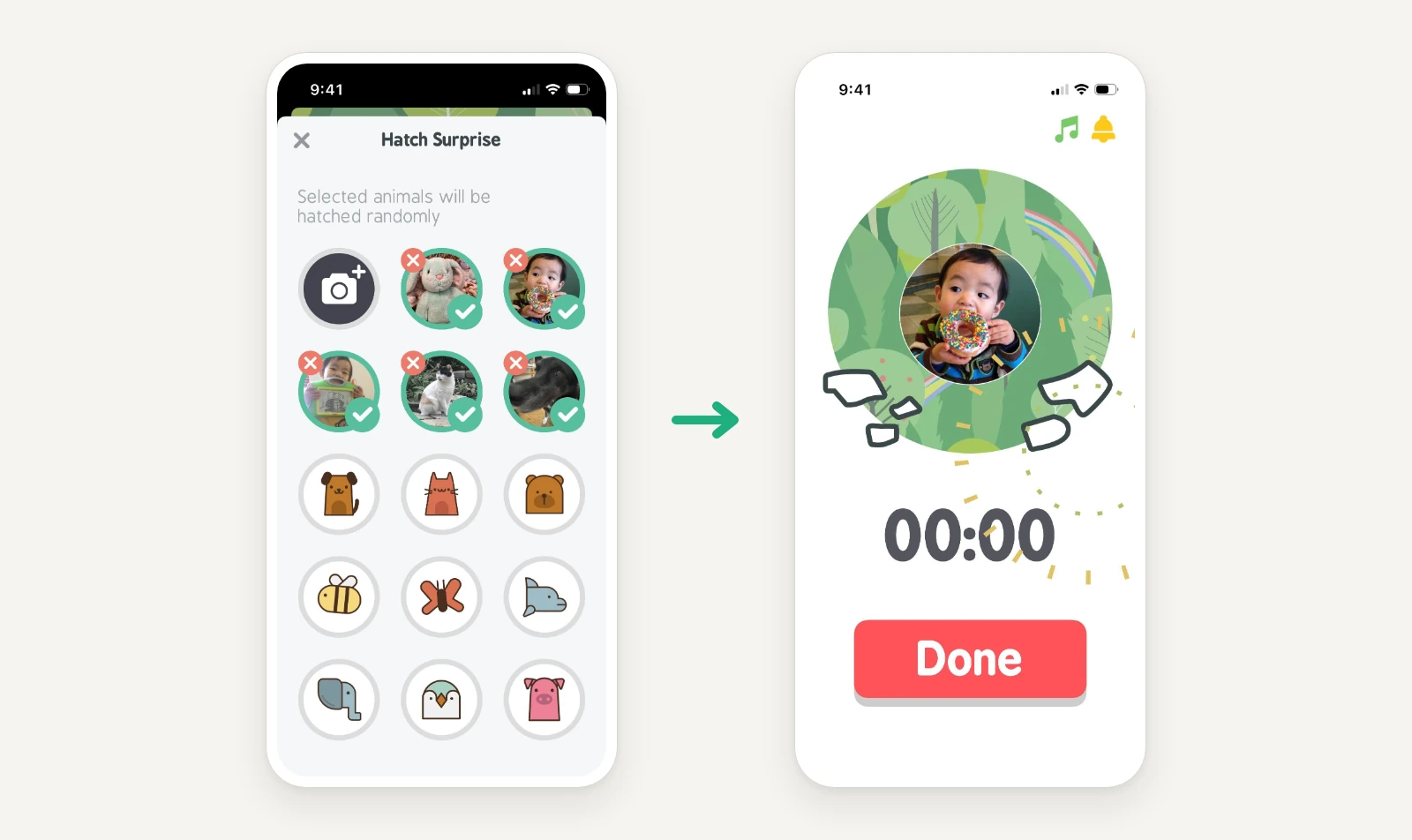
With custom hatch photos (a paid feature), you can add pictures from your device to the hatch selection. They can be familiar faces, favorite things, or real photos that help the child understand what happens next.
1. Show where you're going next
Occupational therapist Elaine Amaba puts a photo of the actual room or activity that comes next in her sessions. She shows it before starting the timer and explains where they’re headed. When the same picture hatches, there’s something familiar to point to.
2. Let your child choose the surprise
Does your child have a favorite dinosaur? Add a T-Rex and let it join the hatch surprises. Or, how about a photo of Grandma? The family dog? A well-loved stuffed animal?
Let your child help choose the pictures. Choosing who or what goes inside the egg can be half the fun. Our son Colin loves to see his own face popping out of the egg!
3. Show whose turn comes next
Two kids, one much-wanted toy? Try putting the next child's photo in the egg. Before you start, say whose turn it is now and whose face will show up when it's time to swap.
When that face hatches, it’s a reminder of the plan you made together.
4. Save the unfinished play
A railway halfway across the living room. A LEGO build that isn’t quite done. Stepping away is hard when there's still so much left to do!
Take a photo of the project, leave it untouched, and let that photo hatch when a short wait is over. The photo is a promise of what's still waiting. Just make sure the railway will still be there!
Quiet the ticking, keep the ending
The tick-tock of a timer proves that time is moving. Some kids may find it distracting, or prefer not to hear a sudden sound when time is up.
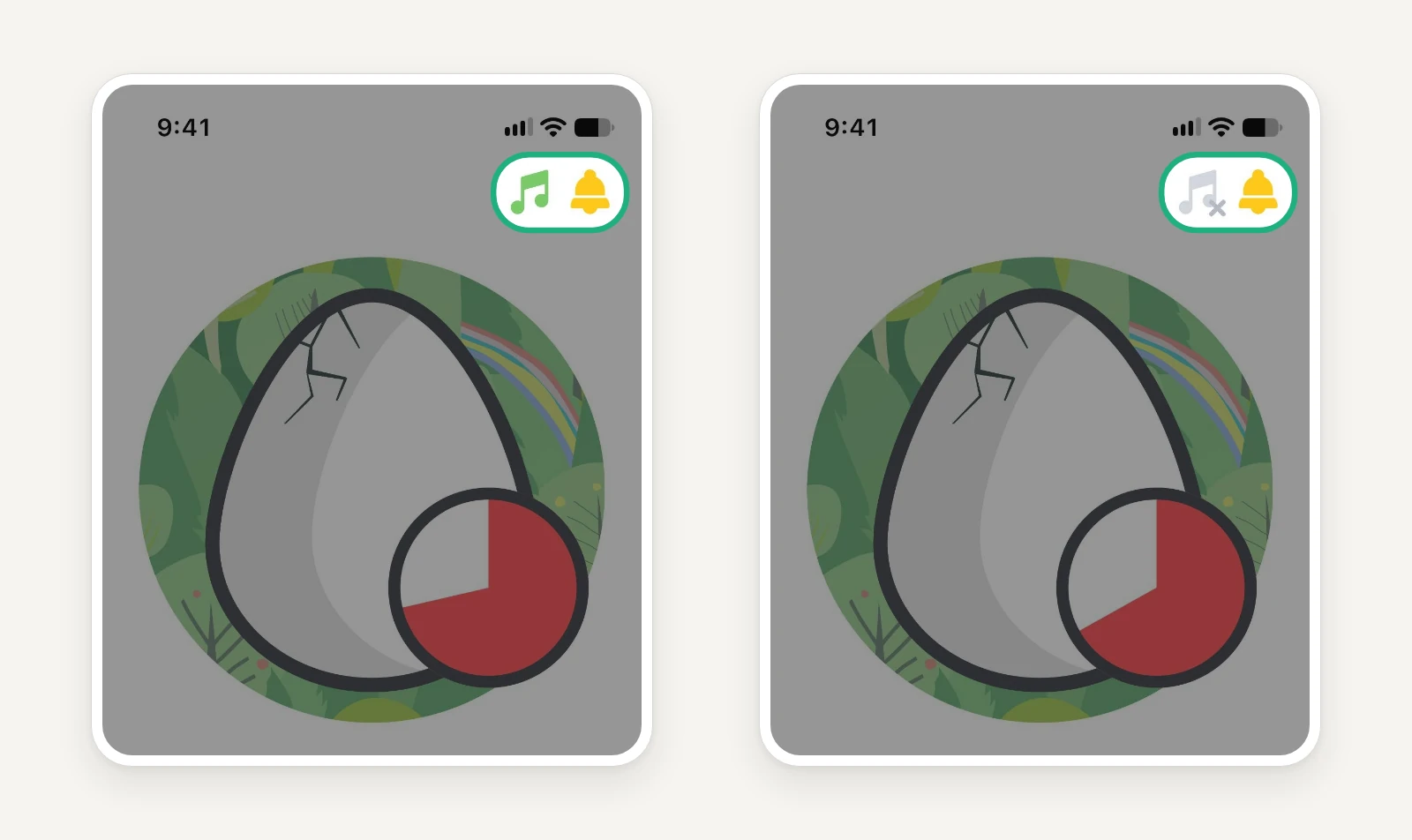
Little Timer lets you mute the countdown and the ending sound separately.
- Quiet countdown, clear ending: turn off the running sound and leave the ending sound on.
- Naptime or quiet time: You can toggle both off. If your child falls asleep, the egg can hatch without making a sound.
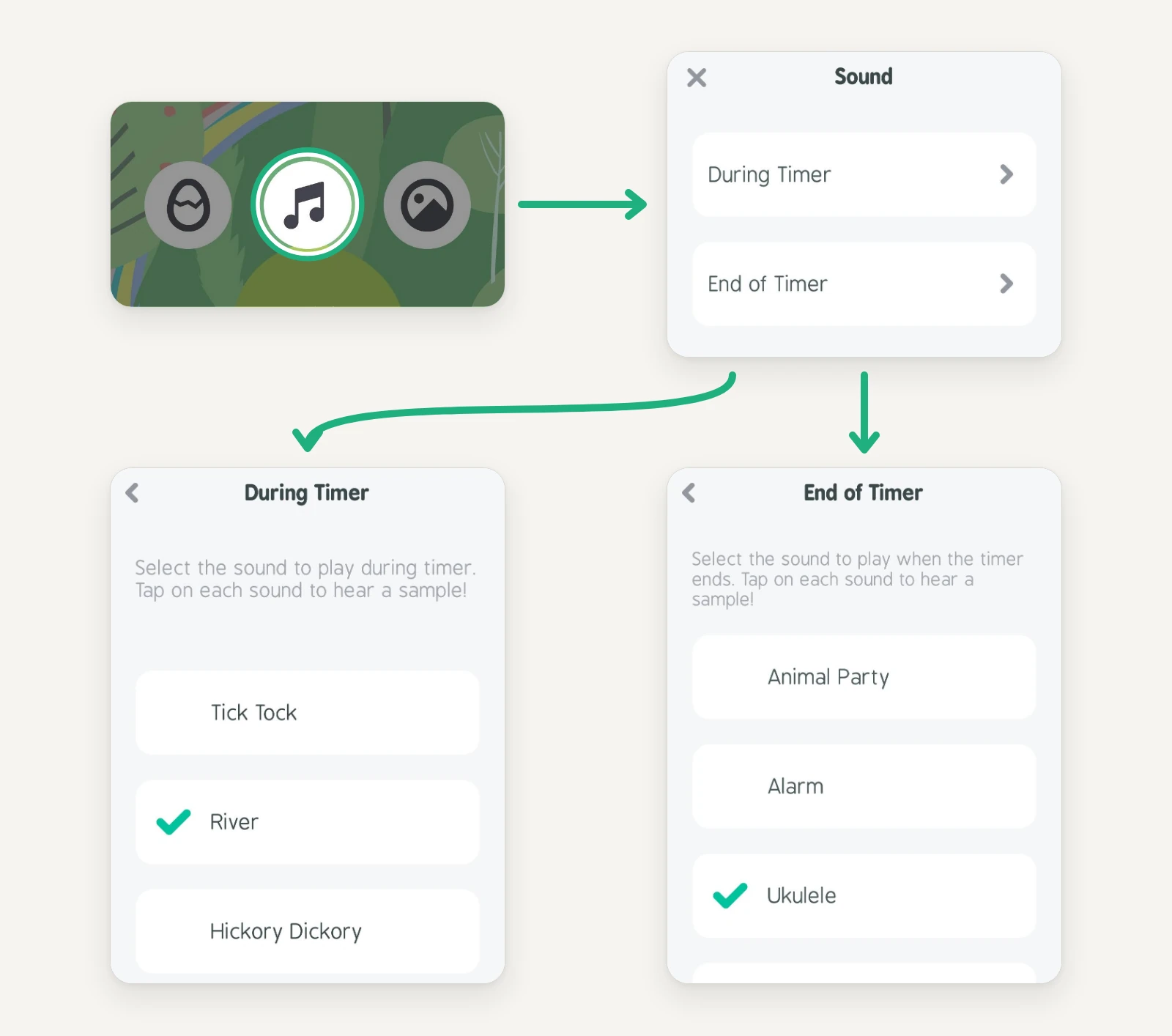
Prefer something gentler than a tick? Explore sound choices together to hear a sample of each.
Let the animal say what’s next
The egg hatches. An animal appears. What comes next?
Pick one of Little Timer’s preset reminders before you start, and the animal can tell your child. Choose Time to clean up before playtime, and when the egg hatches, a clean-up reminder icon pops into the animal’s speech bubble. Just before the ending sound, a voice says it out loud, then again every 6–7 seconds or so.
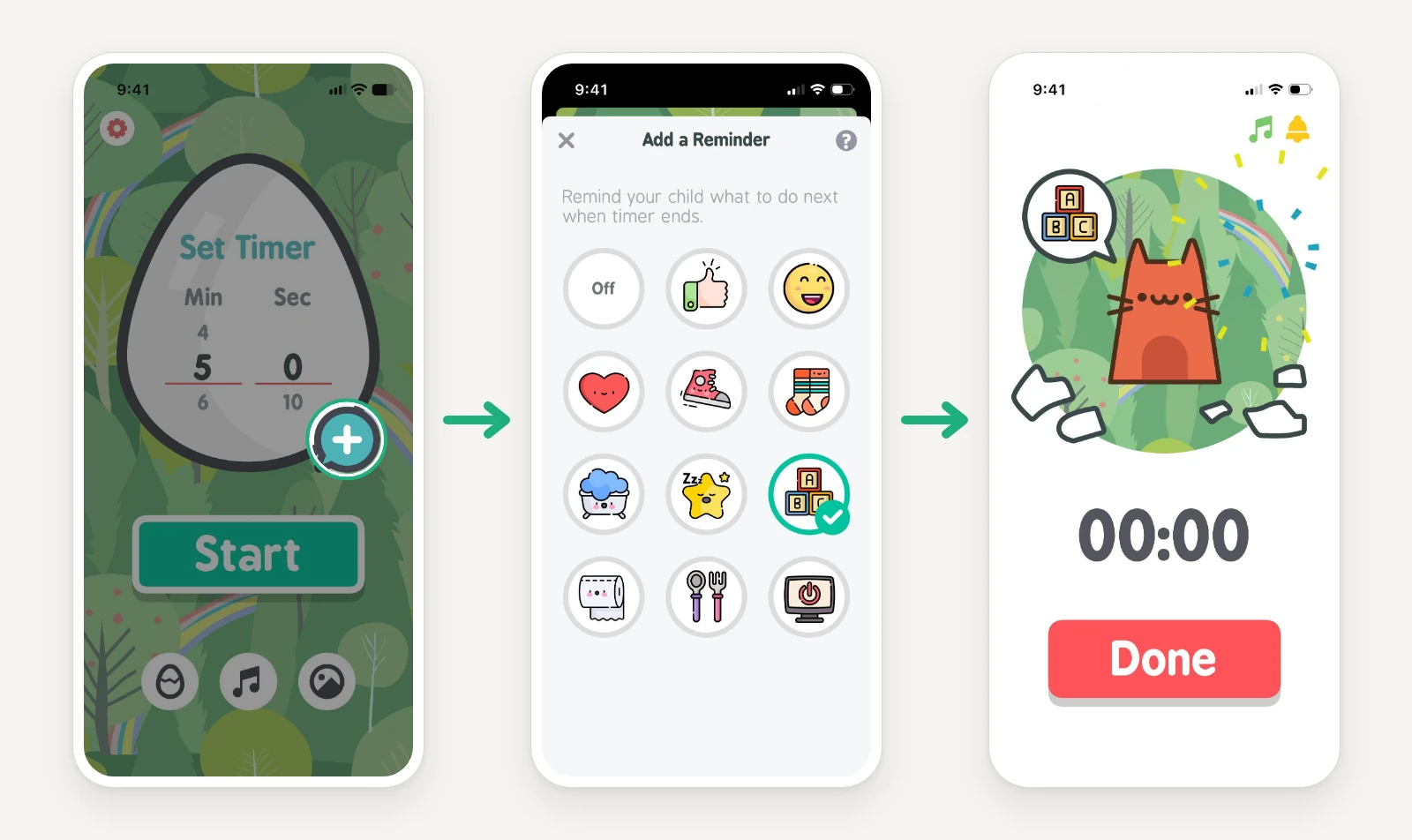
Choose from presets made for everyday moments like cleaning up toys, putting on shoes, going potty and turning off a screen.
Make room for a change of plan
Sometimes the countdown is running, but plans need adjustments.
A bathroom break in the middle of playtime? Pause the timer, then resume when your child is back, so the trip doesn’t use up the playtime they have left.
Need one more minute to finish the tower? Add time while the timer runs. Dinner’s ready early? Subtract some.
Whichever you choose, a quick explanation of the change can help everyone stay on the same page.
When small fingers get curious
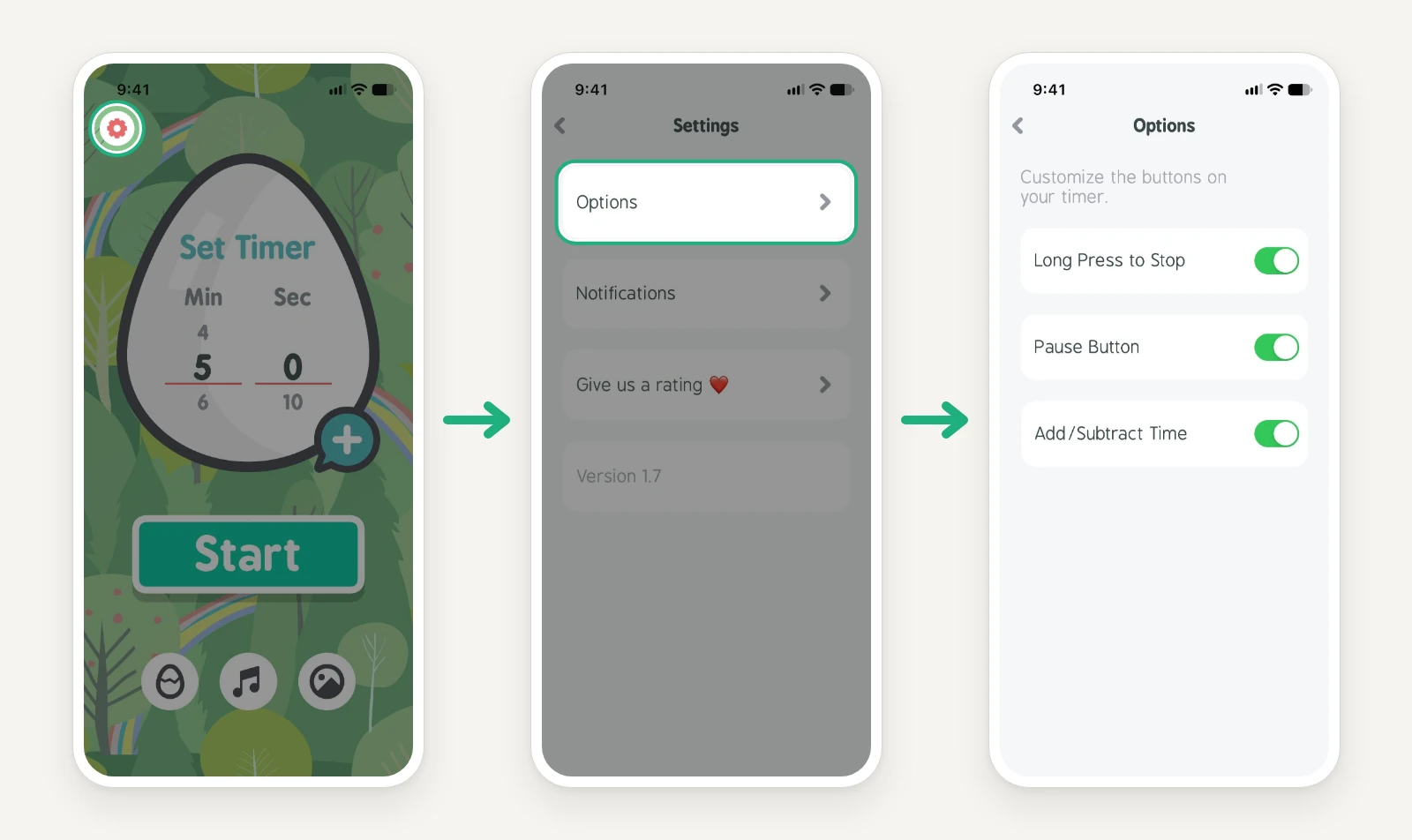
Some buttons are almost as interesting as the egg. If your child keeps experimenting with them, you can hide selected timer buttons in Settings. Turn on Long Press to Stop, and an accidental tap won’t end the countdown.
What works in your day?
Have you found another way to use Little Timer? We'd love to hear what you tried and how it went.
Leave a comment below or write to us at research@littlelabs.co.

Get Little Timer
Free · No ads · No subscription


Related reading
Comments
Loading comments…